
Inukabet Kenya mobile app
The Inukabet Kenya app puts sports betting and casino games in your pocket with native Android and iOS versions. Download the APK directly or grab it from app stores, then bet on Premier League matches during your commute through Nairobi or spin slots while waiting for your matatu.


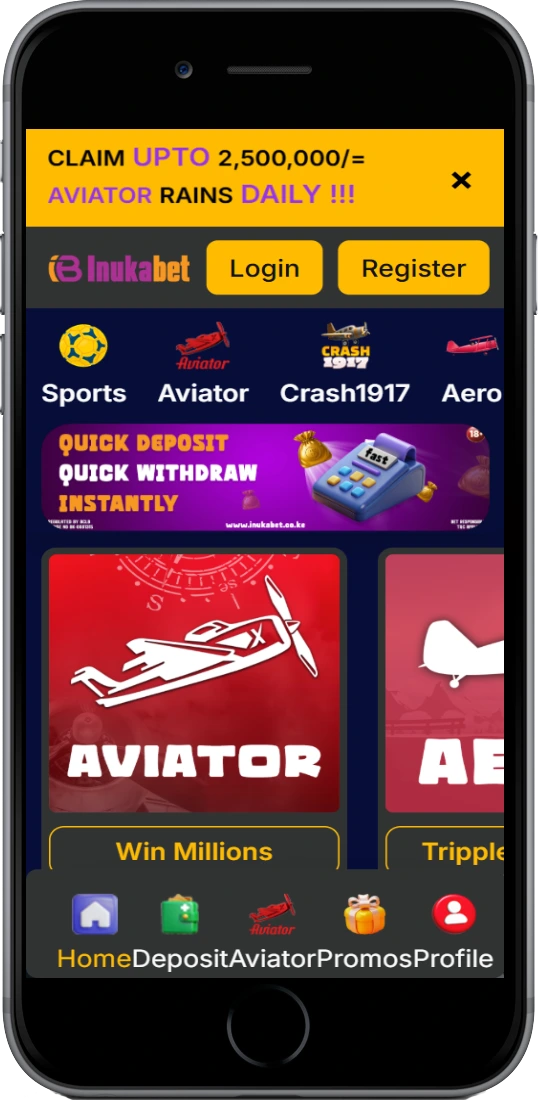
What the mobile app offers
Both versions pack the same functionality as desktop but optimized for touchscreens. You get biometric signin (fingerprint or Face ID), push notifications for results, and offline bet slip building that syncs when connection returns.
📱 One-tap M-Pesa deposits
The app integrates with your Safaricom account for direct transfers. Enter the amount (50 KES minimum), approve on your phone, funds appear in 2-5 minutes. No manual paybill numbers like browser versions require.
⚡ Live betting updates
In-play markets refresh every 15-30 seconds during matches. The app sends push alerts when odds shift significantly on your watched games — useful if Gor Mahia suddenly goes 1-0 down and odds jump.
🎰 Full game library
Access all 500+ slots, crash games, live dealer tables. Aviator uses about 8 MB per hour on 4G. Live roulette works best on Wi-Fi but plays okay on LTE around Nairobi or Kisumu.
🔔 Result notifications
Get alerts when bets settle — no refreshing to check if your accumulator won. Customize notifications: all bets, only wins, or bets over certain amounts.
🏠 Home screen widgets
Android widgets show account balance, active bets, quick links to markets. Place one on your home screen for instant access to EPL betting or Aviator without opening the full app.
💾 Low data usage
Compressed data streams consume roughly 40% less than mobile browsers. A full day of casual betting uses 25-30 MB compared to 50+ MB on Chrome or Safari — good if you're on limited bundles.
Installing on your device
Android setup
Most Kenyan users sideload the APK since it's not on Google Play due to Kenya's gambling app restrictions. Visit the site on your phone, tap Download APK (45 MB file), and your browser warns about unknown apps. Go to Settings > Security > Unknown Sources, enable installation from your browser. Find the APK in Downloads, tap it, confirm installation — takes 20-30 seconds.
First launch asks permissions: storage (bet history), notifications (results), phone state (device verification). You can deny phone state if privacy matters, but storage and notifications are kinda essential. Sign in with existing credentials or register fresh — 2 minutes including SMS verification.
iOS installation
iPhone users have two options. TestFlight beta needs an invitation code from customer support (contact live chat, they'll send one within an hour). Install TestFlight from App Store, enter code, download Inukabet Kenya through it.
Alternatively, use the PWA version. Open Safari, go to the website, tap Share button, hit "Add to Home Screen." Creates an app-like icon that opens the site in standalone mode without Safari's UI. PWA lacks push notifications and runs slightly slower than TestFlight but works if you need immediate access.
App vs mobile browser
The native app beats browsing in speed and convenience, though browser works fine if you don't want installations.
| Feature | Mobile App | Mobile Browser |
|---|---|---|
| Load time | 1-2 seconds | 3-5 seconds |
| M-Pesa integration | Direct, one-tap | Manual entry |
| Offline bet building | Yes, syncs later | No |
| Push notifications | Full support | Limited |
| Biometric signin | Fingerprint/Face ID | Password only |
| Data per hour | 3-5 MB | 7-10 MB |
| Installation needed | Yes (45 MB) | No |
Basically, if you bet regularly (few times weekly), the app saves time and data. Casual monthly bettors might stick with browser to save phone storage.
Device compatibility
Android specifications
Minimum Android 6.0 (Marshmallow), but 8.0+ works better. You need 100 MB storage (app plus cache), 2 GB RAM minimum (4 GB recommended for live streaming). Works on most Samsung, TECNO, Infinix, Xiaomi phones sold in Kenya the past 4-5 years.
iOS specifications
Requires iOS 12.0 or later. Compatible with iPhone 6s and newer. iPad version scales to tablet display. You need about 120 MB storage for TestFlight. The PWA workaround runs on any iPhone with Safari.
Connection needs at least 2G for basic betting (odds, placing bets), but 3G minimum for casino games. Live dealer tables want 4G or Wi-Fi — they buffer on 3G, especially evening peak hours when networks get congested in Nairobi CBD or Mombasa.
Security features
The app uses 256-bit SSL encryption for data transfers. Biometric authentication (fingerprint on Android, Face ID on iPhone) adds protection — even if someone steals your phone, they can't access your account without your biometrics.
Set automatic signout after 15, 30, or 60 minutes of inactivity through settings. Default is 30 minutes. Betting in public places (lunch spots in Eldoret, bus stages), shorter timeout makes sense. Home betting on your Wi-Fi, 60 minutes works so you don't keep re-entering credentials.
The app doesn't store your M-Pesa PIN or bank details — just facilitates connection to Safaricom's payment gateway. Verification happens through Safaricom's security, not Inukabet's systems.
Installation problems
APK won't install
Check you enabled Unknown Sources for your browser. Still fails? Open Play Store, tap menu, Play Protect, settings, temporarily disable "Scan apps." Install APK, re-enable Play Protect after.
App crashes on startup
Usually insufficient RAM or conflicting apps. Close background apps, restart phone, try again. Crashes persist? Uninstall and download fresh APK — file might've corrupted during download on spotty 3G.
Can't signin
You're probably using wrong credentials. App needs phone number (with +254 code) and password, not email. Forgot password? Use browser's password reset, then signin to app with new password.
M-Pesa deposits failing
Confirm your Safaricom line has balance. Recently changed M-Pesa PIN? Wait 2-3 hours for Safaricom systems to sync. Third possibility — you hit daily limits (150,000 KES verified accounts, 70,000 unverified).